Am I Nima Controls
Click objects, drag words through the brain UI, and speak carefully with the mouth.
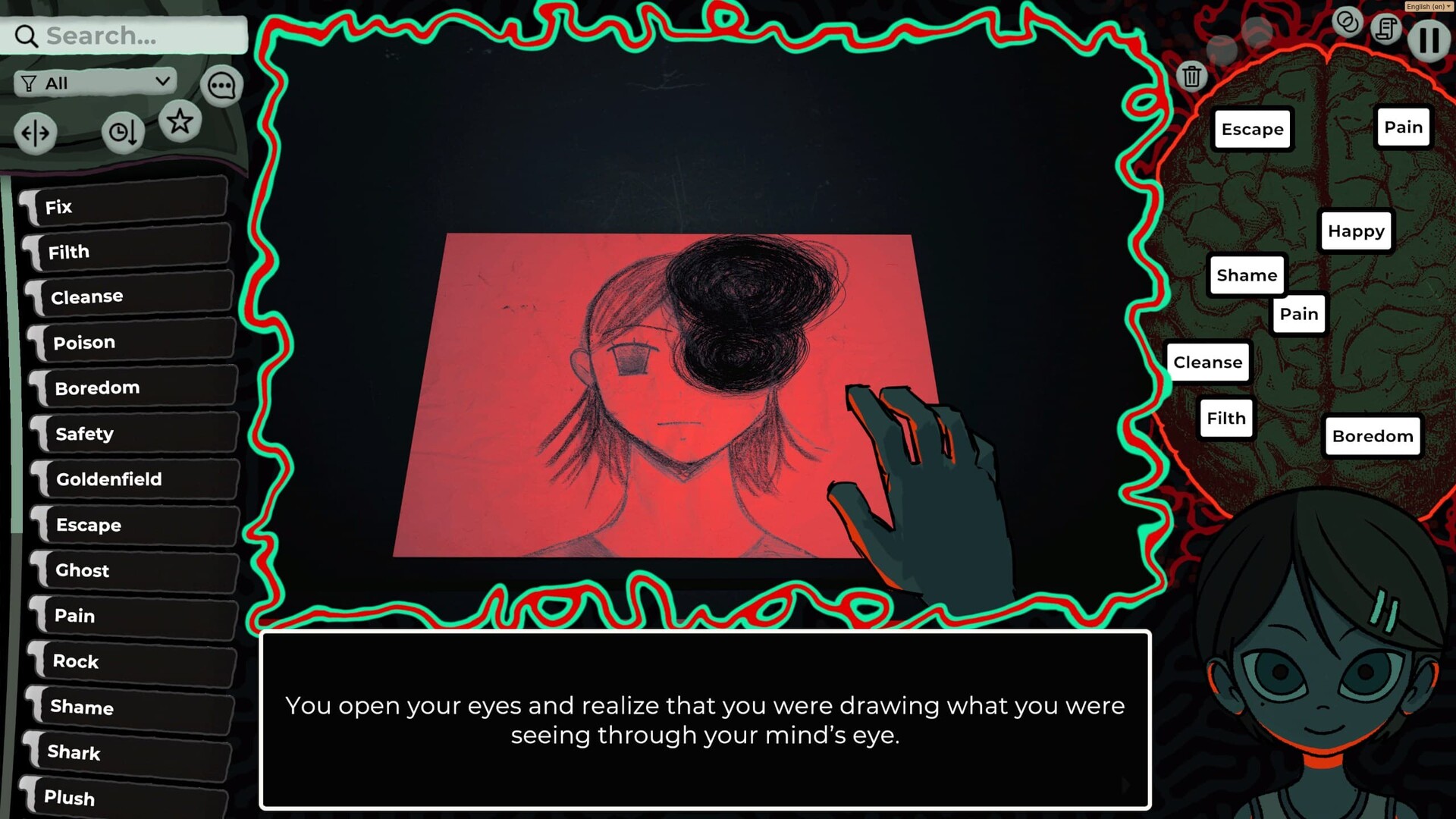
Am I Nima is controlled primarily with the mouse. You point and click through Nima’s rooms, collect words from objects, drag those words inside a brain interface to combine ideas, and present chosen thoughts through mouth dialogue when Annabelle Lee demands answers. This controls guide turns that loop into practical habits so the first demo hour feels intentional instead of mysterious for the wrong reasons.
Pair this page with Getting Started for goals and Word Combinations for recipe strategy. Hardware floors live on System Requirements.
Core input loop
- Look — move the cursor across the scene and watch for interactive hotspots.
- Click — inspect objects to extract words or trigger story beats.
- Open the brain UI — review your growing library of concepts.
- Drag to combine — pull words together to form memories, emotions, or new vocabulary.
- Speak via the mouth — when dialogue starts, present a combination or option out loud rather than only thinking it.
- Listen and adapt — mom’s reaction teaches whether your spoken persona is working.
There is no shooter aim, no cooldown bar, and no skill tree hotbar. Precision matters in the social and linguistic sense.
Point-and-click exploration tips
- Sweep rooms slowly; tiny props can be word sources.
- Revisit scenes after major dialogue—new hotspots may appear.
- Click personal items twice if the first inspect only flavor-texts; some objects layered.
- Treat diaries, pills, plushies, and aquarium props as high-value targets.
- When stuck, assume you missed a hotspot before assuming a softlock.
Keyboard usage in the demo is secondary to mouse interaction. Use standard Steam overlay keys as usual. If a specific remapping option appears in your build’s settings menu, prefer it for accessibility—but do not expect WASD action combat bindings.
Brain UI dragging
The brain is a workspace. Drag words from your library into combination slots or onto each other, depending on the interface state shown in your build. Successful mixes create new entries; failed or dark mixes still teach tone.
Practical habits:
- Combine privately before a test when possible.
- Keep a mental shortlist of “safe to speak” results versus “lore only” results.
- Do not spam hatred or obsession into the mouth just because the brain allowed the craft.
- If dragging feels imprecise, slow the cursor in Windows settings; small UI targets punish high mouse acceleration mid-horror.
For labeled combo examples, open Word Combinations. For how spoken results affect quizzes, open Mom’s Tests.
Mouth dialogue discipline
Mouth input is how thoughts become social facts. The demo constantly asks whether Nima will perform daughterhood or confess strangerhood. Controls-wise, that means selecting the spoken vehicle carefully after you already know multiple interpretations.
Tips:
- Pause when Annabelle presents a prop; do not click the first highlighted option on impulse.
- Prefer family-coded speech on progression runs.
- Use probing speech when you intentionally want bad-end information.
- Remember that silence and softer answers are still inputs—not every discovery must be voiced.
Safe and menu interactions
Container puzzles such as the basement safe use click focus plus text or letter entry informed by environmental wordplay. Solve with story literacy; see Safe Code if you only need the POND answer. Pause menus follow normal Steam single-player patterns—use them before tough tests if you want a break.
Stream and accessibility notes
- Large clear cursors help viewers follow brain drags on stream.
- Avoid covering the library UI with facecam.
- Color and contrast should stay readable; do not crush gamma until words blur.
- Content warnings matter as much as keybinds: abuse and medical horror themes appear mid-input sequences.
Common control mistakes
- Treating the game as auto-advancing VN and never sweeping hotspots
- Combining once, speaking everything, never filtering mouth options
- Fighting the UI at max mouse speed during precise drags
- Looking for controller combos that do not exist in the design fantasy
- Quitting when a test fails instead of replaying with a calmer spoken set
Full game outlook
The November 27, 2026 release expands environments and tests, but the verb set should remain click, collect, combine, speak. If HO! Games adds remapping or accessibility toggles later, this page should gain a dated note under Updates. Until then, demo literacy is the training plan.
Related pages
Master the mouse loop and the horror has room to breathe. Miss the drag-and-speak discipline and every guide on the wiki will feel like it skipped a chapter—because your inputs skipped one first.
Frequently Asked Questions
Quick answers to the most common questions.
How do you control Am I Nima?
Primarily with the mouse: click objects to collect words, drag combinations in the brain UI, and present chosen thoughts through mouth dialogue.
Is there a keyboard or controller scheme?
The design centers on point-and-click and dragging words. Keyboard use is secondary. Treat full gamepad schemes as unverified unless an official settings menu lists them.
What is the difference between brain and mouth controls?
Brain actions discover and craft ideas privately. Mouth actions speak those ideas to Annabelle during dialogue and tests.
Why can't I progress even though I am clicking?
You may need new word combinations or a different spoken answer for mom's test. Sweep for missed hotspots, then review Word Combinations or Mom's Tests.